

When people first start learning AWS security, they usually focus on:
- Security Groups
- NACLs
- IAM permissions
Those are important — but they are not enough to protect web applications from modern attacks.
This is where AWS WAF becomes important.
In this guide, I’ll explain how AWS WAF works, how it differs from traditional network filtering, and how you can use it to block attacks like:
- SQL Injection
- Cross-Site Scripting (XSS)
- Bad bots
- High-rate traffic attempts
I’ll also walk through practical examples and common real-world scenarios.
What is AWS WAF?
AWS WAF (Web Application Firewall) is a security service provided by Amazon Web Services that helps protect web applications from malicious HTTP and HTTPS requests.
Unlike Security Groups or NACLs, WAF can inspect application-level traffic.
That means it can analyze:
- URLs
- Request headers
- Query strings
- Payload patterns
This makes it much more effective against web-based attacks.
WAF vs Security Groups vs NACLs
This is one of the biggest beginner confusions.
Security Groups
Security Groups work at the instance/network level.
They control:
- Allowed ports
- Allowed IPs
Example:
Allow Port 80
Allow Port 443
But they cannot inspect request content.
Network ACLs (NACLs)
NACLs filter traffic at the subnet level.
Useful for:
- Basic network filtering
- IP restrictions
Still, they do not analyze HTTP payloads.
AWS WAF
WAF works at the application layer.
It can detect:
- SQL injection patterns
- XSS payloads
- Suspicious headers
- High request rates
This is why WAF is critical for web applications.
⚠️ Real Example: Why Security Groups Alone Are Not Enough
Imagine your web server allows:
Port 443 (HTTPS)A malicious request containing:
<script>alert(1)</script>will still reach the application unless you have application-layer filtering.
That’s where WAF helps.
Troubleshooting Before Security (Important Lesson)
In the video, I first demonstrated a practical issue:
The domain was returning:
503 Service Temporarily UnavailableAt first glance, it looked like a security problem.
But after checking:
- Application Load Balancer
- Target Groups
I found:
👉 No healthy targets were registered.
Important DevOps Lesson
Before adding advanced security:
- Always confirm the application itself is healthy
- Verify connectivity
- Check target registration
Security layers should come after basic infrastructure validation.
AWS WAF Integration Support
AWS WAF works with:
- Application Load Balancer (ALB)
- CloudFront
- API Gateway
Important Limitation
AWS WAF does NOT support:
- Network Load Balancer (NLB)
This is important while designing architectures.
AWS Managed Rules
AWS provides managed rule groups that help block common attacks automatically.
Examples include:
- Known bad inputs
- Admin protection
- SQL injection patterns
- Common vulnerability signatures
These rules reduce the need to build everything manually.
Geo Blocking Example
Sometimes applications only need traffic from specific countries.
With WAF, you can create rules like:
- Allow only India
- Block specific regions
This helps reduce:
- Unwanted traffic
- Automated scanning
- Potential abuse
Blocking Specific IP Addresses
Another useful feature is IP blocking.
Example flow:
- Find attacker/public IP
- Create IP set
- Add blocking rule
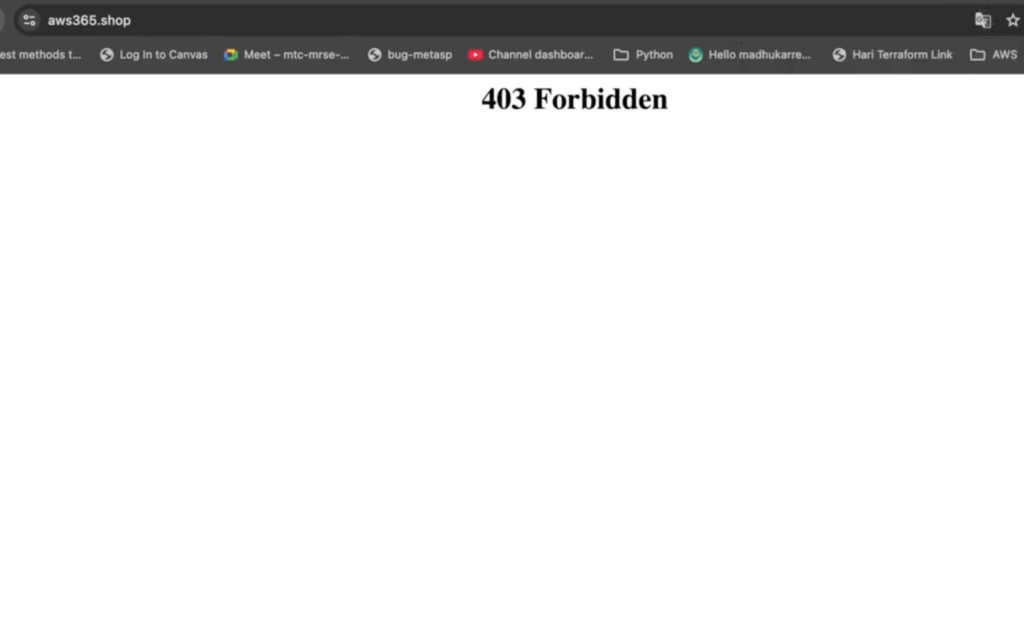
Once applied:
- Requests from that IP return:
403 ForbiddenThis is useful for:
- Suspicious traffic
- Abuse prevention
- Temporary blocks
Rate Limiting Protection
One of the most practical WAF features is rate limiting.
Example:
10 requests per minuteIf traffic exceeds the threshold:
- Requests can be blocked or challenged
This helps protect against:
- Brute-force attacks
- Basic DDoS attempts
- Bot abuse
Why Rate Limiting Matters
In bug bounty testing, rate limiting issues are extremely common.
Without proper request limits:
- Login endpoints become vulnerable
- APIs can be abused
- Systems may become unstable
Even simple limits improve security significantly.
Header Filtering Example
WAF can also inspect request headers.
For example:
- User-Agent strings
You can create rules to:
- Block suspicious clients
- Restrict automated tools
- Deny specific browsers if required
Example:
User-Agent contains FirefoxThis demonstrates how flexible WAF rules can be.
AWS Shield vs WAF
WAF and AWS Shield are related but different.
AWS WAF
Focuses on:
- Application-layer filtering
- Request inspection
- Custom security rules
AWS Shield
Focuses on:
- DDoS protection
- Network-scale attack mitigation
Shield Advanced
AWS Shield Advanced is designed for:
- Enterprise workloads
- Mission-critical systems
- Large-scale DDoS protection
This is commonly used in production-grade environments.
Why AWS WAF is Important in DevOps
Modern DevOps is not just about deployment.
Security needs to be part of the architecture.
WAF helps by:
- Reducing attack surface
- Filtering malicious traffic
- Improving application protection
This is a core DevSecOps concept.
Common Beginner Mistakes
Here are a few common issues:
- Assuming Security Groups are enough
- Blocking legitimate traffic accidentally
- Misconfigured geo restrictions
- Overly aggressive rate limits
Always test rules carefully before production deployment.
Full Practical Video Walkthrough
I also created a full hands-on walkthrough demonstrating:
- WAF setup
- SQL injection protection
- XSS filtering
- Geo blocking
- IP blocking
- Rate limiting
- Header filtering
along with practical troubleshooting scenarios.
You can watch the complete demo on my YouTube channel.
Real-World Use Cases
AWS WAF is commonly used for:
- Public web applications
- APIs
- E-commerce sites
- Admin portals
- CloudFront-based architectures
It becomes especially important once applications start receiving public traffic.
Final Thoughts
Cloud security becomes much easier to understand when you see how attacks actually interact with infrastructure.
AWS WAF helps bridge the gap between:
- Networking
- Security
- Application protection
Even basic WAF rules can dramatically improve security posture.
What You Should Do Next
Try this yourself:
- Create a simple ALB
- Attach AWS WAF
- Add a basic rate-limiting rule
- Test request filtering
Hands-on testing makes security concepts much clearer.
👉 Bonus Tip
After learning AWS WAF, explore:
- CloudFront security
- AWS Shield
- IAM hardening
- Secure CI/CD pipelines
That’s where modern cloud security starts becoming production-ready.
Full Video Walkthrough
I also created a complete hands-on walkthrough covering:
- AWS WAF setup
- SQL Injection protection
- Cross-Site Scripting (XSS) filtering
- Geo-blocking configuration
- IP blocking rules
- Rate limiting setup
- Header filtering using User-Agent inspection
- Troubleshooting ALB and 503 errors
- AWS Shield overview
The video explains everything step-by-step with practical demonstrations inside the AWS Console.
👉 Watch the full walkthrough here:
Related Guides
If you’re learning AWS and DevOps, also check:
- AWS S3 + CloudFront Static Hosting
- Route 53 + SSL Setup on EC2
- DevOps + Cyber Security Roadmap
About the Author
Madhukar Reddy is a DevOps engineer focused on AWS, Kubernetes, Docker, cloud infrastructure, and cyber security. He shares practical cloud and security content based on hands-on experience, real-world projects, and DevOps learning journeys.
