
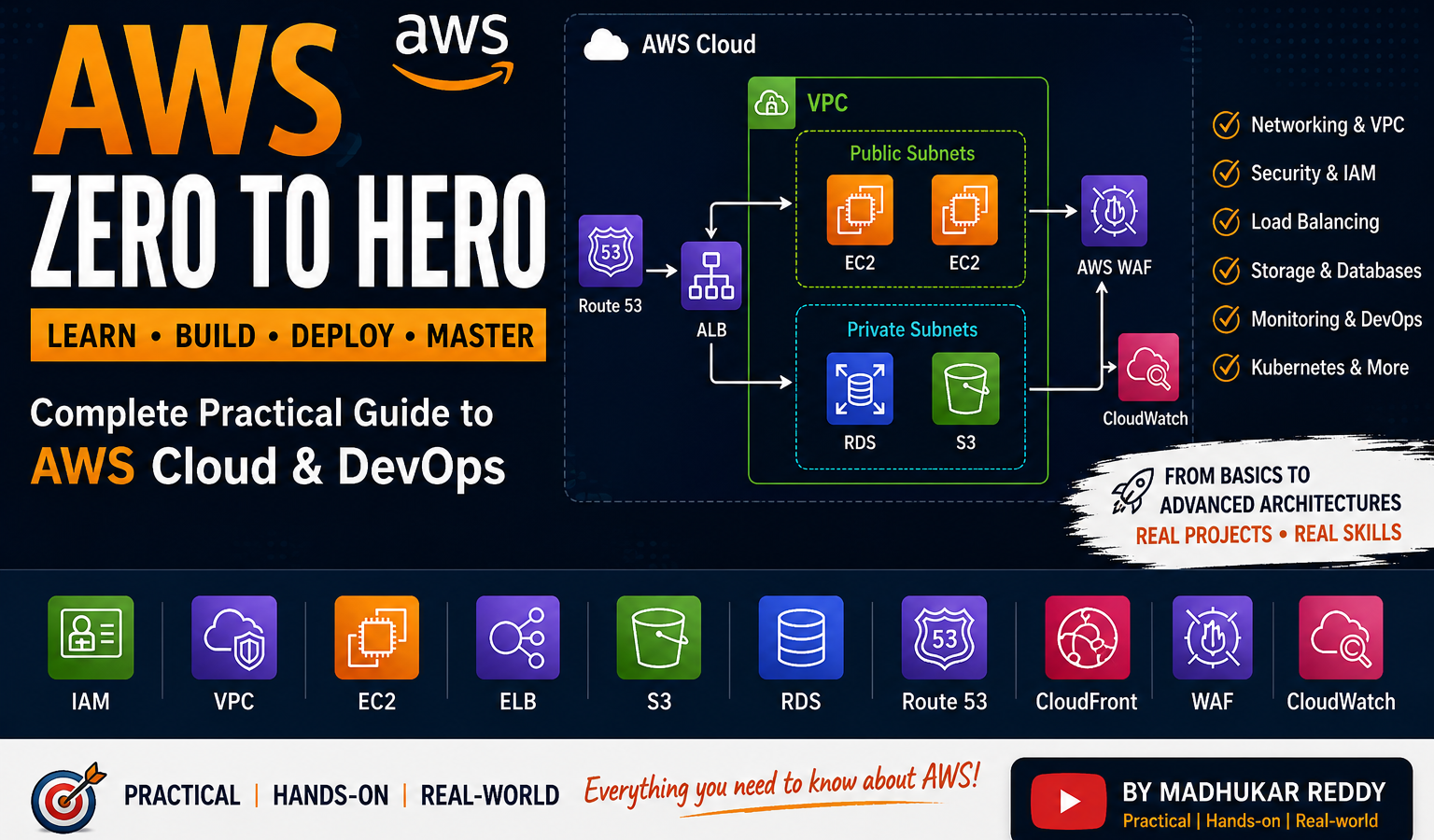
When I first started learning AWS, one thing I struggled with was finding practical learning content.
A lot of tutorials explained:
- definitions,
- certifications,
- and AWS service names,
but didn’t really show:
👉 how cloud infrastructure works in real environments.
That’s one of the main reasons I started building the:
AWS Zero to Hero
series on my YouTube channel.
The goal wasn’t just:
- “learn AWS services.”
Instead, I wanted the playlist to focus on:
- practical deployments,
- networking,
- security,
- troubleshooting,
- cloud architecture,
- and real-world DevOps workflows.
Because honestly, cloud concepts start making much more sense once you actually build things yourself.
What is the AWS Zero to Hero Series?
The AWS Zero to Hero series is a practical cloud learning playlist covering:
- AWS fundamentals
- networking
- security
- storage
- monitoring
- load balancing
- DevOps integrations
- Kubernetes basics
- real infrastructure projects
through hands-on walkthroughs and practical explanations.
Instead of only discussing theory,
the videos focus heavily on:
👉 implementation and architecture understanding.
Getting Started with AWS
The series begins with beginner-friendly topics such as:
- AWS account creation
- Free Tier guidance
- AWS credits
- regions
- availability zones
- cloud infrastructure basics
These topics help new learners understand how AWS is physically structured before jumping into deployments.
Understanding AWS Regions & Availability Zones
One thing that initially confused me while learning cloud was:
👉 how AWS infrastructure is actually organized internally.
The series explains:
- Regions
- Availability Zones
- Data Centers
- fault isolation
- high availability concepts
because these become extremely important later while designing production architectures.
Networking – The Biggest Focus Area
A major part of the playlist focuses on AWS networking.
Honestly, networking is where many beginners struggle initially.
Topics covered include:
- IP addressing
- CIDR
- VPC architecture
- subnets
- routing
- Security Groups
- NACLs
- VPC Peering
- VPC Endpoints
Once networking becomes clear, many AWS services suddenly start making much more sense.
Public vs Private Subnets
One important thing the series focuses on:
- why certain resources belong in public subnets,
- while others should stay private.
Examples:
- Load Balancers → public
- Databases → private
Understanding subnet isolation becomes very important in real-world cloud environments.
VPC Peering & Connectivity
The series also covers:
- VPC Peering
- cross-network communication
- private connectivity architectures
This becomes useful when:
- multiple environments
- multiple VPCs
- hybrid setups
need secure communication.
Security Groups vs NACLs
One topic that confuses many AWS beginners:
Security Groups vs NACLs
Initially they can feel very similar.
But once you start building VPC architectures practically, the differences become much clearer.
The series explains:
- stateful vs stateless behavior
- subnet-level filtering
- instance-level filtering
- traffic flow concepts
through real examples.
Load Balancing Concepts
Another major focus area is AWS load balancing.
Topics include:
- Application Load Balancer (ALB)
- Network Load Balancer (NLB)
- listener rules
- target groups
- HTTPS routing
This becomes extremely important once applications start scaling.
AWS Security & Protection
The playlist also covers practical security implementations such as:
- AWS WAF
- SSL/TLS setup
- HTTPS enforcement
- bot protection
- SQL injection filtering
- XSS protection
Instead of only discussing security theoretically, the videos demonstrate how protection mechanisms work practically.
Storage & EBS Concepts
Storage is another important AWS topic covered in the series.
The playlist explains:
- EBS volumes
- storage attachment
- EC2 storage behavior
- performance considerations
because storage architecture becomes very important in production environments.
Monitoring & Observability
One thing I personally realized while learning DevOps:
👉 deployment is only half the job.
Applications also need:
- monitoring
- alerting
- observability
The series includes practical CloudWatch demonstrations involving:
- metrics
- logs
- monitoring agents
- alerts
- PagerDuty integrations
This helps connect AWS operations with real-world DevOps workflows.
Kubernetes & DevOps Integrations
The playlist also touches on:
- Kubernetes basics
- cluster setup
- containerized infrastructure
- cloud-native concepts
because modern cloud environments increasingly rely on container orchestration platforms.
IAM Identity Center & SSO
The series also includes:
- IAM Identity Center
- centralized authentication
- SSO workflows
- AWS Organizations concepts
This helps explain how larger organizations securely manage AWS account access.
Focus on Practical Learning
One thing I always tried emphasizing throughout the playlist:
👉 understanding “why,” not just “how.”
Instead of only clicking through the AWS Console,
the videos try explaining:
- architecture reasoning
- security decisions
- networking behavior
- deployment flow
- troubleshooting logic
because that understanding becomes much more useful long-term.
Common AWS Beginner Problems
Some topics that usually confuse beginners:
- VPC networking
- CIDR calculations
- Route Tables
- IAM permissions
- Security Groups
- SSL setup
- Kubernetes architecture
The playlist tries simplifying these through:
- diagrams
- walkthroughs
- hands-on examples
- troubleshooting demonstrations
instead of only theory.
Full AWS Zero to Hero Playlist
The AWS Zero to Hero playlist includes practical AWS topics such as:
- EC2
- VPC
- IAM
- Route 53
- CloudFront
- WAF
- ALB
- NLB
- EBS
- CloudWatch
- Kubernetes integrations
- IAM Identity Center
- SSL/TLS
- networking architectures
- monitoring
- DevOps workflows
👉 Watch the full playlist here:
Who This Playlist is For
This series is useful for:
- AWS beginners
- DevOps learners
- cloud engineers
- students
- people preparing for cloud roles
- anyone wanting practical AWS understanding
especially if you prefer:
👉 learning by building real projects.
What Personally Helped Me Learn AWS Faster
In my experience, AWS becomes much easier once you:
- build architectures,
- troubleshoot networking,
- configure infrastructure,
- and connect services practically.
That hands-on repetition changes the learning experience completely.
AWS Cost Reminder
One important thing beginners should remember:
AWS resources continue generating costs until cleaned up.
Always remember to:
- terminate EC2 instances
- remove Load Balancers
- delete RDS databases
- clean Route 53 resources
especially while practicing.
Final Thoughts
AWS can initially feel overwhelming because there are so many moving parts.
But once you:
- understand networking,
- deploy applications,
- configure infrastructure,
- and troubleshoot issues,
cloud architecture starts becoming much more logical.
That’s the main idea behind the AWS Zero to Hero series:
👉 practical AWS learning through real-world projects and hands-on implementation.
What You Should Do Next
If you’re learning AWS:
- don’t just watch videos passively,
- try implementing the projects yourself,
- recreate the architectures,
- and troubleshoot things manually.
That practical experience matters a lot.
Bonus Tip
Whenever learning cloud or DevOps:
focus less on memorizing definitions,
and more on:
- architecture understanding
- troubleshooting
- networking
- security
- automation
Those skills remain valuable across almost every cloud platform.
Related Guides
If you’re learning AWS and DevOps, also check:
- DevOps Roadmap 2026
- Kubernetes Architecture Explained
- AWS IAM Identity Center Explained
- AWS Auto Scaling Explained
- OpenVPN + VPC Peering
