
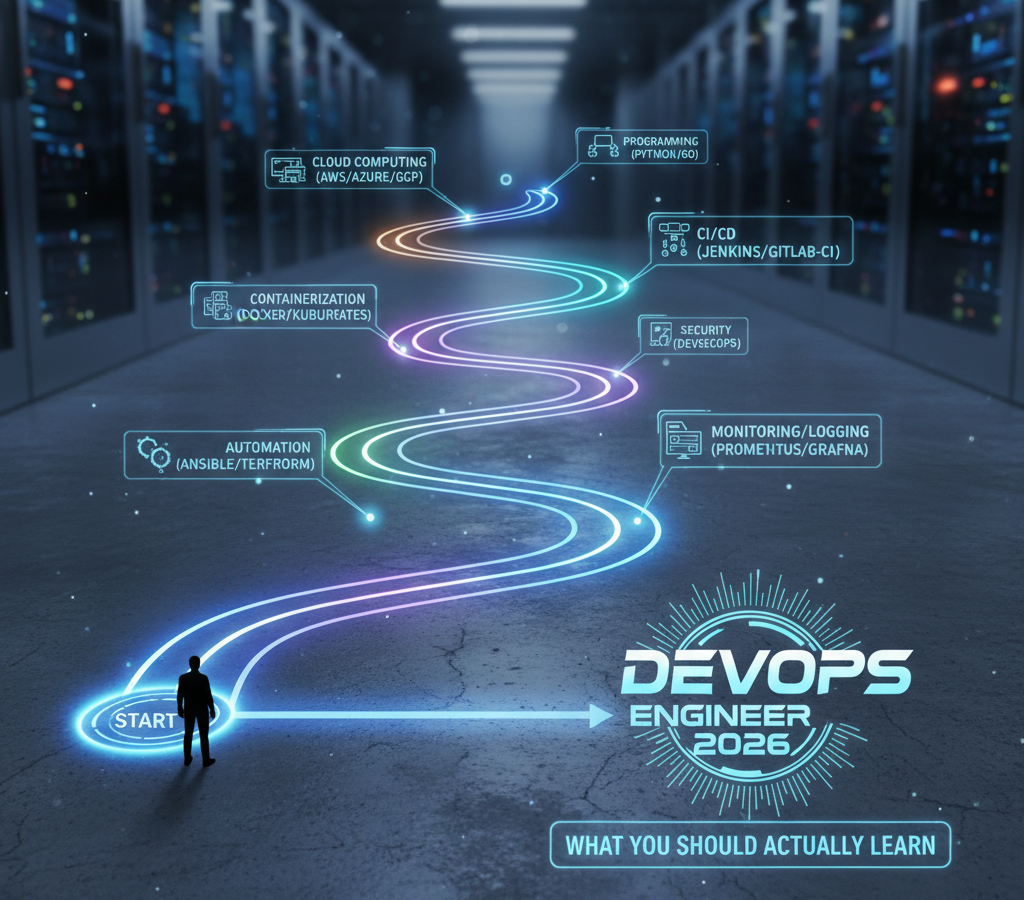
A lot of people starting DevOps get stuck because they try learning everything at once.
One day it’s Docker.
Next day it’s Kubernetes.
Then Terraform.
Then Jenkins.
After a while, it becomes overwhelming.
When I started learning DevOps, one thing I realized quickly was:
👉 the order matters.
If the fundamentals are weak, advanced tools become confusing very fast.
In this guide, I’ll break down a practical DevOps roadmap based on the learning sequence that helped me understand cloud and infrastructure concepts much more clearly.
This is not a “memorize 50 tools” roadmap.
It’s more about:
- building fundamentals,
- getting hands-on practice,
- and understanding how modern infrastructure actually works.
Step 1: Learn Linux First
Linux is the foundation of almost everything in DevOps.
Most cloud servers run Linux, and almost every deployment eventually involves working inside a terminal.
When I first started, even basic commands felt confusing.
But once you spend time using Linux daily, things become much easier.
Important Linux Skills
Focus on:
- SSH access
- file management
- permissions
- logs
- services
- networking basics
Commands like:
ls
cd
top
journalctl
systemctl
I have a full Linux series on Linux for Cloud/DevOps Engineers:
Step 2: Learn Git & GitHub
After Linux, version control becomes extremely important.
In real projects:
- developers,
- DevOps engineers,
- and teams
constantly collaborate through Git repositories.
You should know how to:
- clone repositories
- commit changes
- push code
- create branches
- resolve merge conflicts
At first Git can feel annoying, but later it becomes second nature.
I have a Full Git Zero to Hero series:
Step 3: Learn AWS (or Any Cloud)
Once the basics are comfortable, start learning cloud infrastructure.
I personally recommend starting with:
Amazon Web Services
because:
- huge ecosystem
- lots of learning resources
- widely used in industry
I have a full AWS Zero to Hero Playlist:
Don’t Start with Automation Immediately
One mistake many beginners make:
They jump directly into Terraform without understanding what they’re automating.
That usually creates confusion.
Initially:
- use the AWS Console,
- create VPCs manually,
- launch EC2 instances,
- configure Security Groups,
- and explore networking visually.
That hands-on understanding helps a LOT later.
Learn Core AWS Concepts
Spend time understanding:
- VPCs
- subnets
- route tables
- security groups
- load balancers
- IAM
- EC2
- RDS
These become the building blocks for everything else.
Step 4: Infrastructure as Code (Terraform + Ansible)
Once you understand infrastructure manually,
then move into automation.
This is where:
- Terraform
- Ansible
start making much more sense.
Terraform
Terraform helps provision infrastructure using code.
Instead of manually creating resources:
- you define infrastructure declaratively.
Example:
EC2
VPC
RDS
Security Groups
can all be created through Terraform configuration files.
I have a full Terraform Zero to Hero playlist:
Why Terraform Feels Easier After AWS Basics
When you already understand:
- subnets,
- security groups,
- route tables,
Terraform becomes much easier to read and troubleshoot.
Otherwise it just feels like random configuration syntax.
Ansible
Terraform creates infrastructure.
Ansible helps configure servers.
For example:
- installing packages
- updating configurations
- managing multiple servers
- automating deployments
This becomes very useful in larger environments.
Step 5: Learn Docker
Once infrastructure basics are comfortable,
move into containerization.
Docker is one of the most important DevOps tools today.
It helps package:
- application code
- dependencies
- runtime
inside containers.
Why Docker Matters
Without containers:
- applications behave differently across systems
Docker solves:
"It works on my machine"
problems very effectively.
Step 6: Learn Kubernetes
Once multiple containers enter the picture,
managing them manually becomes difficult.
That’s where Kubernetes comes in.
Kubernetes helps:
- orchestrate containers
- scale workloads
- restart failed applications
- manage deployments
Initially Kubernetes feels complicated for almost everyone.
That’s normal.
I have full Kubernetes Zero to Hero playlist:
Don’t Rush Kubernetes Too Early
One thing I noticed:
People often try learning Kubernetes before:
- Linux,
- networking,
- Docker,
- or cloud basics.
That usually becomes frustrating.
Kubernetes becomes MUCH easier after:
- Docker
- AWS networking
- Linux troubleshooting
are already comfortable.
Step 7: Learn CI/CD Pipelines
Modern deployments rely heavily on automation.
This is where CI/CD becomes important.
Popular tools:
- Jenkins
- GitHub Actions
- GitLab CI/CD
What CI/CD Actually Does
CI/CD automates:
- testing
- building
- deployment
Typical flow:
- Developer pushes code
- Pipeline runs automatically
- Tests execute
- Application deploys
This removes a lot of manual work.
Step 8: Monitoring & Observability
One thing many beginners ignore:
Deployment is only half the job.
Applications also need:
- monitoring
- alerting
- visibility
Common Monitoring Tools
Popular tools include:
- Prometheus
- Grafana
- CloudWatch
These help monitor:
- CPU
- memory
- logs
- uptime
- errors
Without monitoring, troubleshooting production becomes difficult.
Step 9: Learn Security (DevSecOps)
Security is becoming increasingly important in DevOps workflows.
This includes:
- secret management
- IAM permissions
- vulnerability scanning
- container security
- code scanning
Modern pipelines usually integrate security directly into deployment workflows.
The Biggest Thing I Learned
Watching tutorials helps.
But real understanding usually comes when:
- deployments fail,
- pipelines break,
- DNS stops working,
- or infrastructure behaves unexpectedly.
That troubleshooting process teaches much more than theory alone.
Start Building Projects Early
One thing I strongly recommend:
Don’t wait until “everything is perfect” before building projects.
Start deploying things early.
Even simple projects teach:
- networking
- security
- debugging
- architecture thinking
much faster.
I have DevOps Projects playlist:
Some Good Beginner Projects
Examples:
- Host WordPress on AWS
- Deploy Docker containers
- Build CI/CD pipelines
- Configure Kubernetes clusters
- Setup Auto Scaling
- Configure AWS WAF
- Create VPN architectures
These projects connect concepts together much better than isolated tutorials.
Common Beginner Mistakes
Some things I personally think slow people down:
- jumping directly into Kubernetes
- avoiding Linux
- learning only theory
- memorizing tools without building
- constantly switching learning paths
Consistency matters much more than speed.
Full Video Walkthrough
I also created a complete roadmap walkthrough covering:
- Linux
- GitHub
- AWS
- Terraform
- Ansible
- Docker
- Kubernetes
- CI/CD
- Monitoring
- DevSecOps
along with practical learning advice and real-world project suggestions.
👉 Watch the full video walkthrough here:
Why Hands-On Practice Matters
In my experience, DevOps becomes much easier once you:
- deploy real applications,
- troubleshoot failures,
- configure infrastructure,
- and automate workflows yourself.
That practical exposure builds confidence much faster.
Final Thoughts
DevOps is not about learning every tool on the internet.
It’s more about understanding:
- infrastructure,
- automation,
- networking,
- deployments,
- and troubleshooting.
Once the fundamentals become strong, learning new tools becomes much easier.
What You Should Focus on First
If you’re starting today:
- Linux
- Git
- AWS basics
- Terraform
- Docker
- Kubernetes
- CI/CD
- Monitoring & Security
and most importantly:
👉 keep building projects while learning.
👉 Bonus Tip
Don’t compare your learning speed with others online.
Focus on:
- consistency
- practical projects
- troubleshooting
- repetition
That’s what builds real DevOps understanding over time.
Related Guides
If you’re learning AWS and DevOps, also check:
- AWS Auto Scaling Explained
- OpenVPN + VPC Peering
- AWS WAF Explained
- WordPress on AWS with ALB & SSL
- K3s on AWS EC2
About the Author
Madhukar Reddy is a DevOps engineer focused on AWS, Docker, Kubernetes, cloud infrastructure, and cyber security. He shares practical cloud and DevOps content based on hands-on deployments, infrastructure troubleshooting, and real-world learning projects.
